

The best sales intelligence tools for B2B contact data depend on what your team is missing. Apollo suits affordable self-serve prospecting. ZoomInfo fits enterprise teams that need broad coverage. Cognism is built around verified mobile numbers in Europe. Lusha handles quick one-off lookups. Amplemarket bundles data with outreach, and Clay lets you build your own research workflow.
No single platform wins everywhere. Contact accuracy varies by region, industry and seniority, so the right choice is the one that performs best on your market. This guide explains what these tools do, compares the leading options, and shows how to test contact data before you commit a budget.
Quick Comparison of Leading Tools
| Tool | Best for | Contact data | Built-in outreach | Pricing model |
| Apollo | Startups and small outbound teams | Emails, phones, company filters | Yes (sequences, dialer) | Free tier, then per-user monthly |
| ZoomInfo | Enterprise sales and RevOps | Broad database, org charts | Basic (Engage) | Quote-based annual contract |
| Cognism | Phone-led prospecting in EMEA | Verified mobiles, do-not-call screening | No native sequencing | Quote-based, team packages |
| Lusha | Individual reps needing fast lookups | Emails and phones via browser extension | Limited | Credit-based, free tier |
| Amplemarket | Teams wanting data plus outreach in one tool | Contacts plus contact-level signals | Yes (multichannel) | Per-user annual |
| Clay | Custom enrichment and research | Waterfall across many providers | Through integrations | Free plan, then credit-based |
| LinkedIn Sales Navigator | Account and lead research on LinkedIn | Profiles, not emails or phones | InMail | Per-seat subscription |
What Are Sales Intelligence Tools?
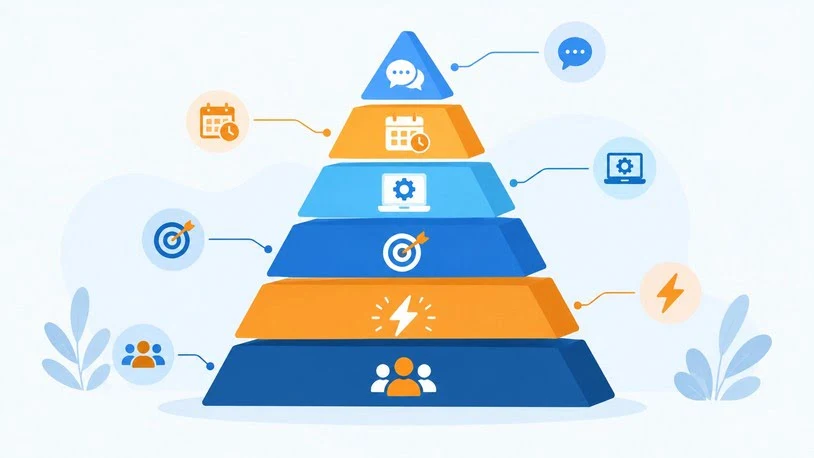
Sales intelligence tools are software platforms that supply data about companies and buyers so sales teams can decide whom to contact, how to reach them, and when. That data usually includes contact details, company attributes, technology usage and buying signals.
A plain contact database gives you a name, title and email. Sales intelligence adds the context around that record. Most platforms combine several of these data types:
| Data type | What it tells you | Example use |
| Contact data | Who the person is and how to reach them | Verified work email, direct dial |
| Firmographic data | Company size, industry, location, revenue band | Building an ideal customer profile list |
| Technographic data | Software and tools a company uses | Targeting accounts that run a competitor’s product |
| Intent data | Which companies are researching a topic | Prioritizing accounts showing interest |
| Trigger events | Job changes, funding, hiring, expansion | Timing outreach around a change |
| Conversation data | What was said on calls and in email | Coaching and follow-up |
Many tools cross categories. Apollo pairs contact data with email sequencing, while ZoomInfo packages contact, intent and website-visitor data together. That overlap is why a feature checklist alone rarely settles a purchase.
Why B2B Contact Data Quality Matters
Contact data sets the ceiling for every outbound result. If the data is weak, better copywriting and more sequences will not fix it.
- Bounced emails damage sender reputation. A high bounce rate can push future messages into spam folders, including messages to valid contacts.
- Wrong phone numbers waste calling time. Reps burn call blocks on disconnected lines or the wrong person.
- Outdated job titles undermine personalization. Addressing someone by a role they left months ago signals a mass blast.
- Coverage gaps hide good prospects. A database can look huge overall and still be thin in your country, niche or company size band.
Contact data also decays continuously, because people change employers and companies change domains. That is why verification method and refresh frequency matter more than the headline record count. Look for emails validated against the mail server rather than guessed from name patterns, mobile numbers that are checked rather than scraped, and ongoing re-verification rather than a one-time collection.
Best Sales Intelligence Tools for B2B Contact Data: Reviewed
Prices below are publicly listed figures or figures cited in third-party comparisons at the time of writing. Vendors change plans often, and enterprise platforms quote privately, so confirm current pricing directly.
1. Apollo: Best for Affordable Self-Serve Prospecting
Apollo combines a large contact and company database with search filters, enrichment, CRM connections, email sequences and basic dialing. It offers a free plan, with paid tiers listed from about $49 per user per month (Basic) and $99 (Professional).
- Choose it if: you know your target profile and want data and outreach in one low-cost tool.
- Watch for: accuracy varies by segment and region, so verify emails before sending at volume. A matching title and valid email also don’t show that a person has a reason to buy.
2. ZoomInfo: Best for Enterprise Coverage
ZoomInfo pairs a broad contact and company database with org charts, technology data, intent signals, website-visitor identification and deep CRM integrations. Pricing is quote-based, and third-party comparisons commonly cite annual contracts starting around $15,000.
- Choose it if: several people will use the integrations and extra intelligence often enough to justify enterprise pricing.
- Watch for: it can be more than a small team needs, and credit limits and contract terms deserve careful reading.
3. Cognism: Best for Verified Mobile Numbers in Europe
Cognism focuses on phone-verified mobile numbers and compliance features such as do-not-call screening, with particular strength in European markets. It is quote-based and typically sold as team packages.
- Choose it if: phone is your main channel and a meaningful share of your pipeline sits in EMEA.
- Watch for: US coverage may be thinner than European coverage, and it is data-focused, so you will need a separate tool for sequencing.
4. Lusha: Best for Quick Contact Lookups
Lusha is a browser extension that surfaces emails and phone numbers as you browse LinkedIn and other sites. It has a free tier and credit-based paid plans.
- Choose it if: individual reps need occasional lookups rather than systematic list building.
- Watch for: credits can run out quickly, and phone reveals typically consume more credits than emails. Costs become harder to predict as usage grows.
5. Amplemarket: Best for Data and Outreach in One Platform
Amplemarket combines a contact database with buying signals, multichannel sequences and deliverability tooling. It publishes per-user annual pricing, listed at roughly $3,000 per user per year, and offers a trial rather than a free tier.
- Choose it if: you want to replace a separate data provider, sequencing tool and deliverability tool.
- Watch for: if you already own an engagement platform, you will pay for overlap. Vendor-run benchmarks, including its own published scoring, should be treated as a starting point for your own test.
6. Clay: Best for Custom Research and Enrichment
Clay lets you combine many data providers into “waterfall” enrichment, where the tool tries one source and falls back to the next. It also supports web research and rule-based automation inside spreadsheet-style tables. There is a free plan, with paid plans priced by usage.
- Choose it if: custom research meaningfully improves your targeting and someone on your team will own the workflow.
- Watch for: setup, provider selection, credit usage and maintenance all fall to you.
7. LinkedIn Sales Navigator: Best for LinkedIn-Based Research
Sales Navigator adds advanced people and company search, saved lists, alerts and shared-connection insights to LinkedIn. Per-seat pricing runs from roughly $100 to $170 per month depending on tier and billing.
- Choose it if: your buyers are active on LinkedIn and standard search is too limited.
- Watch for: it is a research layer, not a contact data source. It does not supply emails or phone numbers, so most teams pair it with a contact data tool.
8. Intent and Website-Visitor Tools: Leadfeeder, 6sense and Bombora
These tools answer a different question: which companies show interest right now? Leadfeeder identifies companies visiting your website. 6sense and Bombora surface company-level research activity across topics. They complement contact data rather than replace it, because they usually point to an account, not the specific person who owns the problem. Teams on HubSpot may also look at its native enrichment features, which grew out of Clearbit.
How to Choose the Best B2B Contact Data Sales Intelligence Tools for Your Team
Start with the gap you need to close, then match it to the tool type:
- Small team, tight budget: shortlist Apollo or Lusha, and budget for a separate email verifier.
- Enterprise with RevOps support: compare ZoomInfo against alternatives based on your regions.
- Phone-first or EMEA-heavy motion: include Cognism in your trial.
- Want fewer tools to manage: evaluate all-in-one platforms such as Amplemarket or Apollo.
- Need custom criteria: consider Clay, but plan for the build effort.
- Buyers concentrated on LinkedIn: add Sales Navigator alongside a contact data source.
Then read the pricing mechanics. Seat-based plans suit teams where everyone prospects daily. Credit-based plans suit lower or uneven volume, but costs can spike when reps reveal many phone numbers. Annual contracts lower unit costs and reduce flexibility. Whatever the model, compare tools on cost per usable contact, not sticker price.
How to Test B2B Contact Data Before You Buy
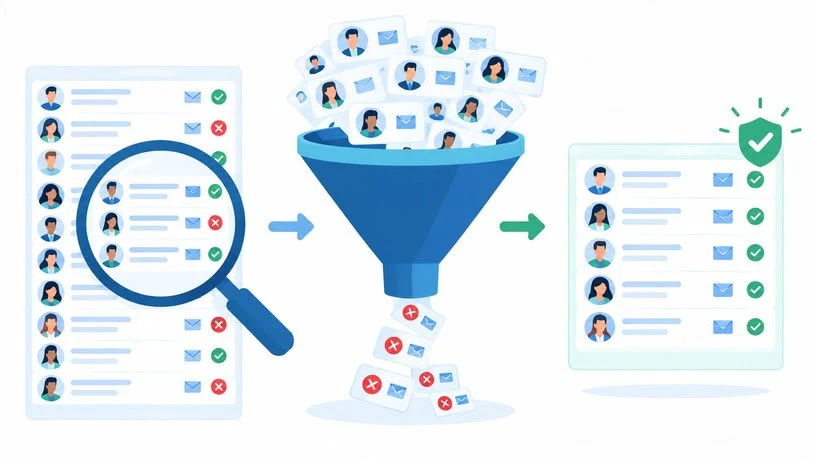
A vendor demo shows best-case data. A structured test shows how the tool performs in your market.
- Build a sample of about 100 records from your real target profile, including harder segments such as smaller companies or niche roles.
- Add contacts you can verify yourself, such as customers or people you know, to check titles and employers.
- Verify emails independently with a separate verification service before sending, so a bad batch doesn’t harm your main domain.
- Call a subset of the mobile numbers and record how many reach the right person.
- Check titles and employers against public profiles.
- Compare cost per usable contact across tools, using the formula below.
| Metric | How to measure | What it reveals |
| Valid email rate | Share of sampled emails passing independent verification | Baseline data accuracy |
| First-send bounce rate | Bounces divided by emails sent | Real-world deliverability risk |
| Mobile connect rate | Calls reaching the intended person | Phone data quality |
| Title accuracy | Records matching the current role | Freshness of the database |
| Coverage | Share of your ideal profile the tool can find | Regional and niche depth |
Cost per usable contact = plan cost ÷ (contacts exported × share that are valid)
Here is a hypothetical example. Plan A costs $600 and yields 1,000 exports with 650 valid records, or about $0.92 per usable contact. Plan B costs $900 and yields 1,000 exports with 900 valid records, or $1.00 per usable contact. The gap between them is far smaller than the sticker prices suggest, and it can flip once you count the time reps spend cleaning lists.
Compliance and Data Privacy Considerations
Buying contact data doesn’t remove your obligations as the sender. Rules differ by country, and this section is general information rather than legal advice.
- GDPR (EU and UK): requires a lawful basis for processing personal data and gives people rights such as access and objection. Many B2B teams rely on legitimate interest, which needs to be documented and balanced against individual rights.
- US rules: CAN-SPAM sets requirements for commercial email, including an opt-out mechanism. Phone outreach is governed by separate rules that vary depending on the type of number and the call.
- Do-not-call registries: several markets maintain them, and some vendors screen against them.
When evaluating vendors, ask where the data comes from, how opt-outs and deletion requests are handled, whether a data processing agreement is available, and how suppression lists work. Have counsel review your process before scaling outreach in regulated regions.
Using Sales Intelligence for Outbound Prospecting: A Practical Workflow
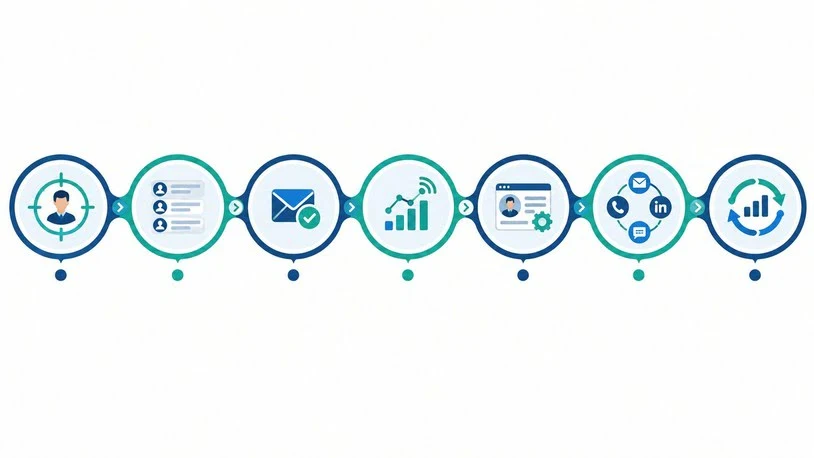
The best sales intelligence tools for B2B contact data and outbound prospecting only pay off when they feed a repeatable process:
- Define your ideal customer profile. Set filters for industry, company size, region and role before you open any tool.
- Build a focused list. Start with a few hundred well-matched accounts, not thousands of loose ones.
- Verify and enrich. Confirm emails, check phone numbers, and fill in company details before records reach your CRM.
- Layer in timing signals. Job changes, hiring, funding and technology changes give you a reason to reach out now.
- Personalize with real context. Reference something specific to the person or company rather than a merge tag.
- Run a multichannel sequence. Combine email, calls and LinkedIn touches, and track replies by segment.
- Feed results back. Note which segments bounce or stay silent, and adjust filters and data sources accordingly.
Common Mistakes When Buying Sales Intelligence Tools
- Buying on database size. A larger database isn’t more accurate in your segment.
- Skipping the trial test. Vendor samples are curated. Yours should not be.
- Ignoring regional coverage. A tool strong in North America may be thin in Europe or Asia-Pacific, and the reverse.
- Paying for unused features. Enterprise suites are wasteful when you need one narrow capability.
- Treating intent as proof of buying. A company researching a topic may be a buyer, a competitor or a student.
- Exporting without deduplication. Duplicate records in your CRM create awkward double outreach and distort reporting.
Frequently Asked Questions
What are the best sales intelligence tools for B2B contact data?
Apollo, ZoomInfo, Cognism, Lusha, Amplemarket and Clay are commonly shortlisted. Apollo fits budget-conscious teams, ZoomInfo fits enterprises, Cognism fits phone-led European outreach, Lusha fits quick lookups, Amplemarket combines data with outreach, and Clay suits custom enrichment. Test two or three against your own market before deciding.
What is the difference between sales intelligence and a B2B contact database?
A contact database lists people and how to reach them. Sales intelligence adds context such as company attributes, technology use, buying signals and trigger events, which helps you decide who to contact and when.
How accurate is B2B contact data?
Accuracy varies by vendor, region and role, and no provider is accurate everywhere. Vendor-published accuracy figures are best treated as claims to test. Measure valid email rate, bounce rate and mobile connect rate on a sample from your own market.
Which sales intelligence tool is best for outbound prospecting on a small budget?
Apollo is a common starting point because it offers a free plan and low-cost paid tiers with built-in sequencing. Lusha works for occasional lookups. Whichever you choose, verify emails independently before sending at volume.
Do I need a separate tool for outreach?
Not always. Apollo and Amplemarket include sequencing, while ZoomInfo, Cognism and Lusha are mainly data sources, so you would pair them with an engagement platform. If you already have an outreach tool, a data-only provider avoids paying for overlap.
Is it legal to buy B2B contact data?
It can be, but legality depends on where your recipients are, how the data was collected and how you contact people. GDPR, CAN-SPAM and do-not-call rules all apply in different situations. Ask vendors about data sourcing and opt-out handling, and consult a qualified lawyer for your specific situation.

Sales Tools provides smart simple and practical tools for sales marketing and business growth. Our free resources help professionals freelancers marketers and businesses save time improve performance make better decisions and work more efficiently.